Resolving the Safety Freeze
To start, the Backblaze software will need to be uninstalled and reinstalled. Here are the steps:
1. Reboot your computer to make sure all Backblaze files are unlocked.
2. Uninstall Backblaze.
• Mac -- Hold down the "option" key and click on the Backblaze menu bar icon and choose Uninstall
• Windows -- use the Add/Remove Programs utility to remove Backblaze.
3. Visit https://secure.backblaze.com/user_signin.htm and sign in to your Backblaze account with your email address and password. (If you don't remember it, just use the forgot my password option.)
4. On the "Overview" page, select the appropriate download link for your operating system at the bottom right-hand corner
5. Run the installer you downloaded.
How do I do an Inherit Backup State?
1. First, restart your computer, to make sure that no files Backblaze needs are currently in use, and make sure any external drives that were associated with the previous backup that you want to be included going forward are attached to your computer.
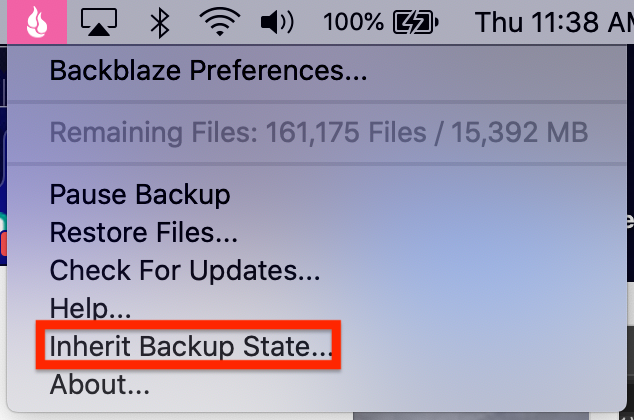
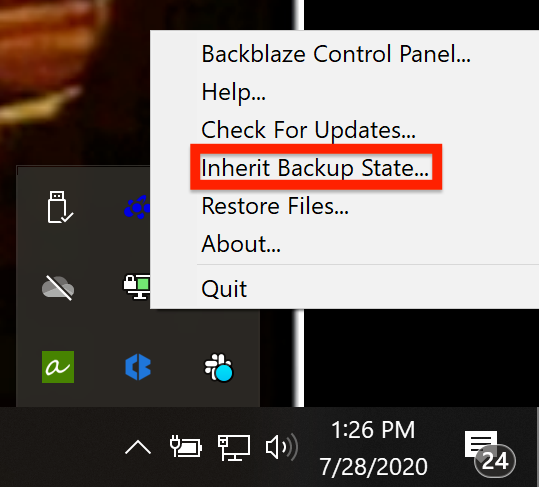
2. Once the computer has finished restarting, the inherit Backup state option can be found in two places:
1. The Top menu bar of your computer on Mac, or the taskbar at the bottom of your screen on Windows
 |  |
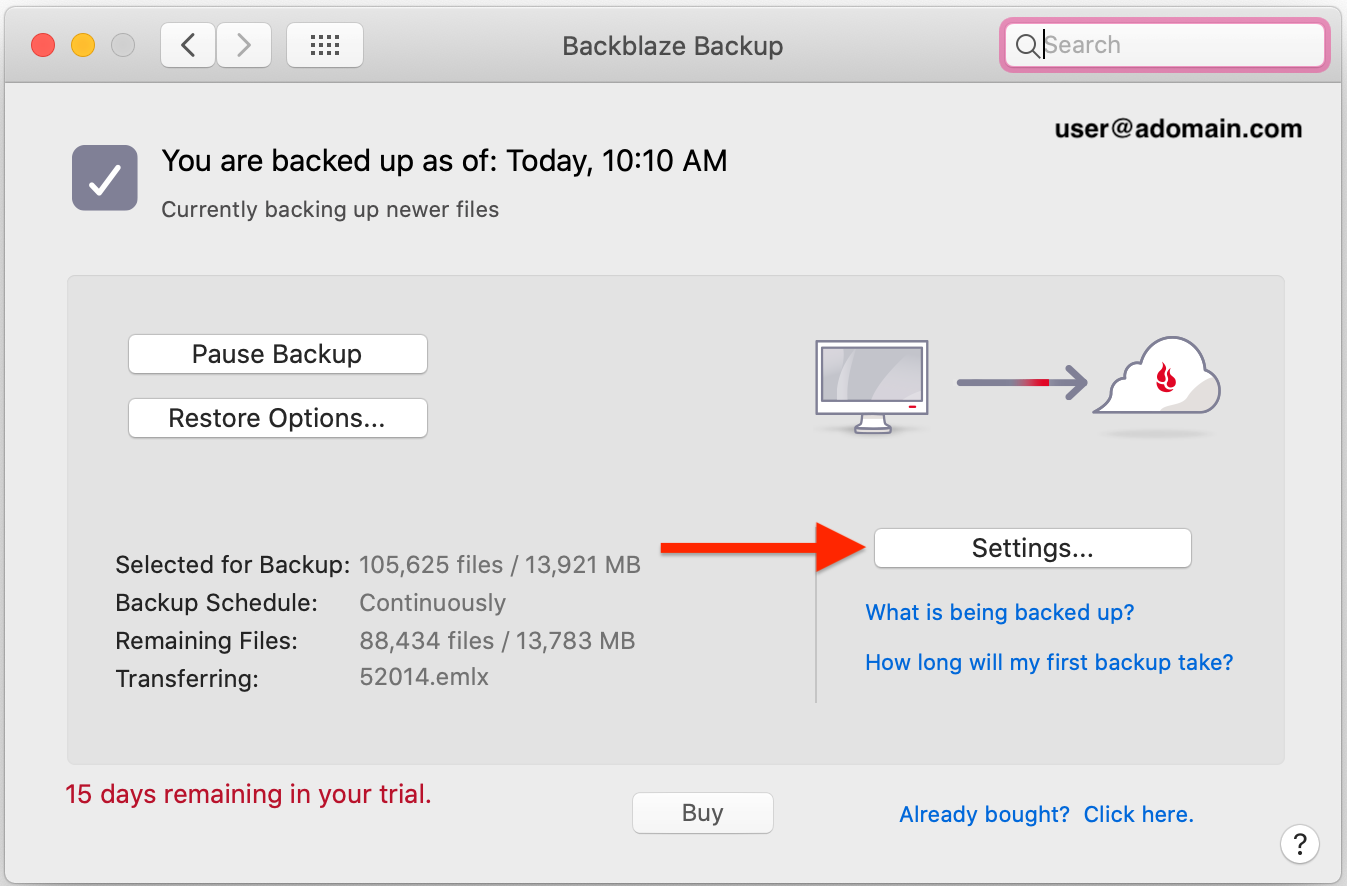
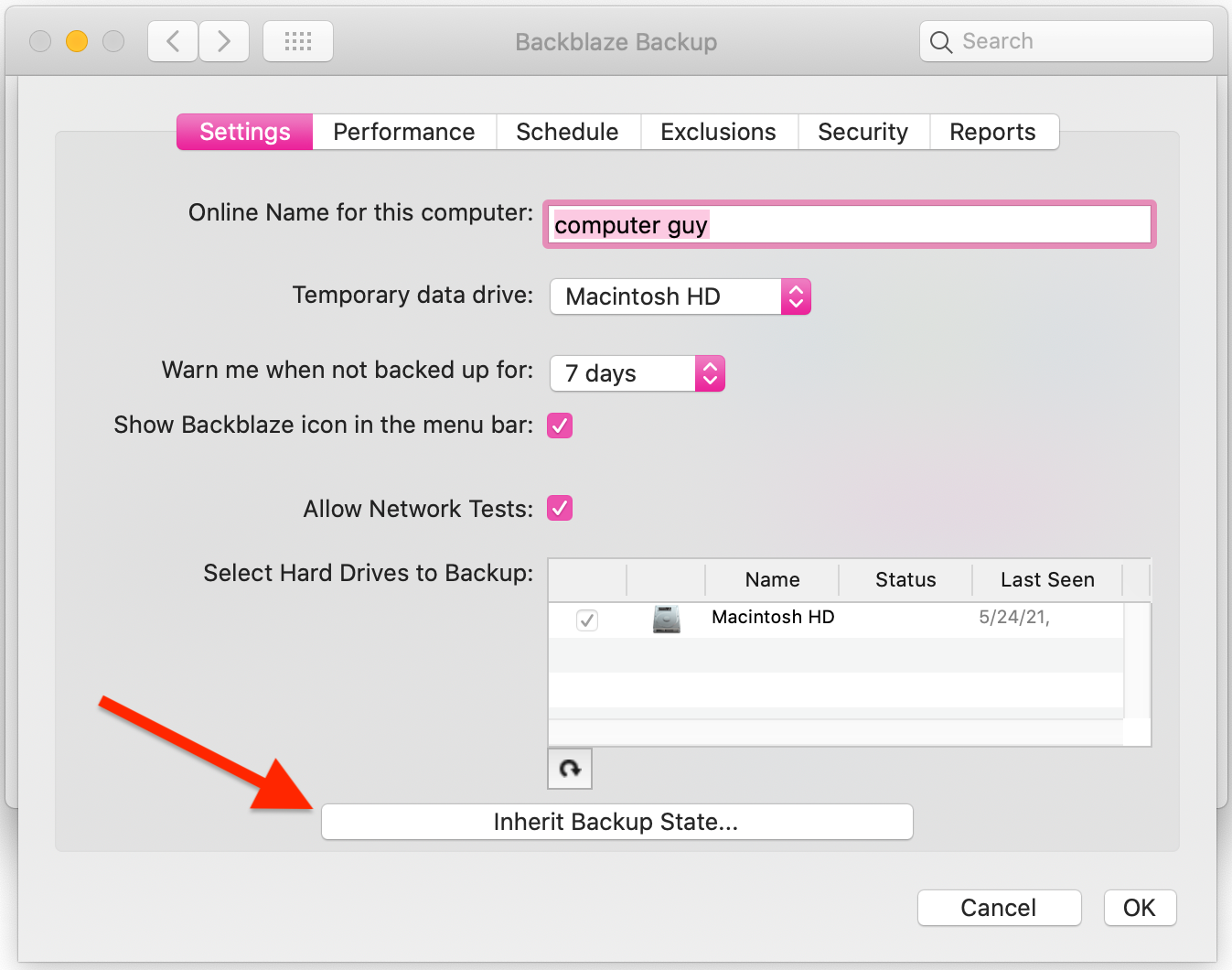
2. Or by clicking "settings" on the Backblaze Software/Preferences/Control Panel, and the on the button labeled "Inherit Backup State"
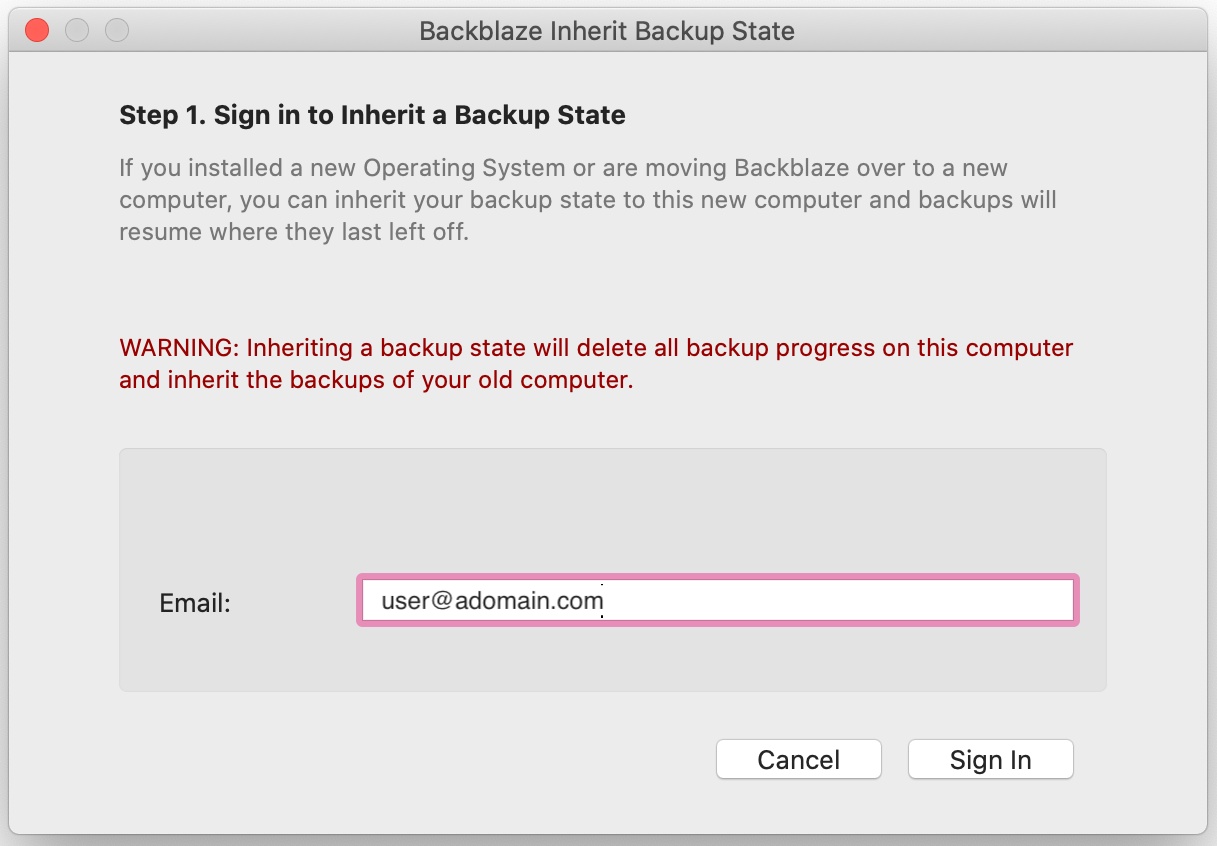
3. After Selecting "Inherit Backup State", you will be prompted to enter the email address associated with your Backblaze account, and your Backblaze account password.
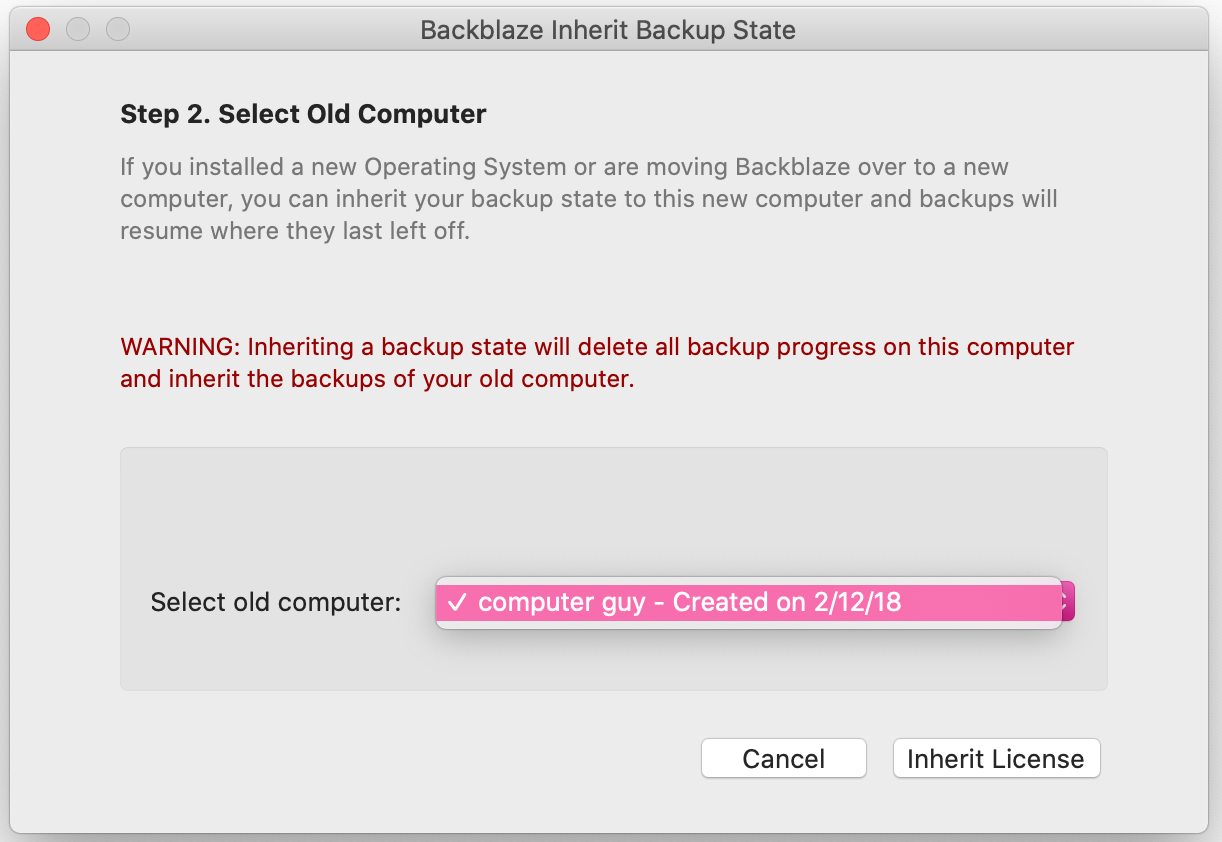
4. You will then be prompted to select the original backup that you wish to inherit with this new installation.
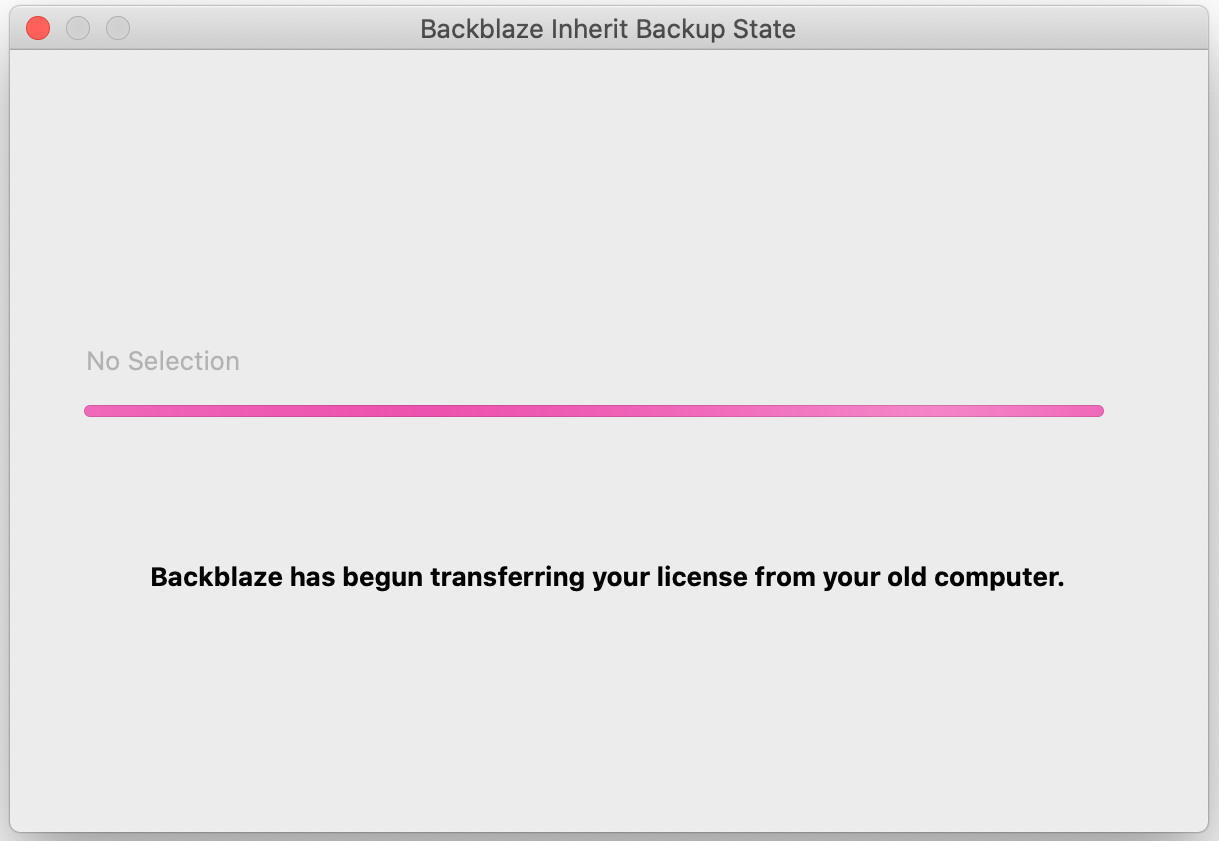
5. After you have selected the correct backup, you will see a progress bar, and dialogue confirming that the license is being transferred. Followed by a confirmation screen when the inherit completes.
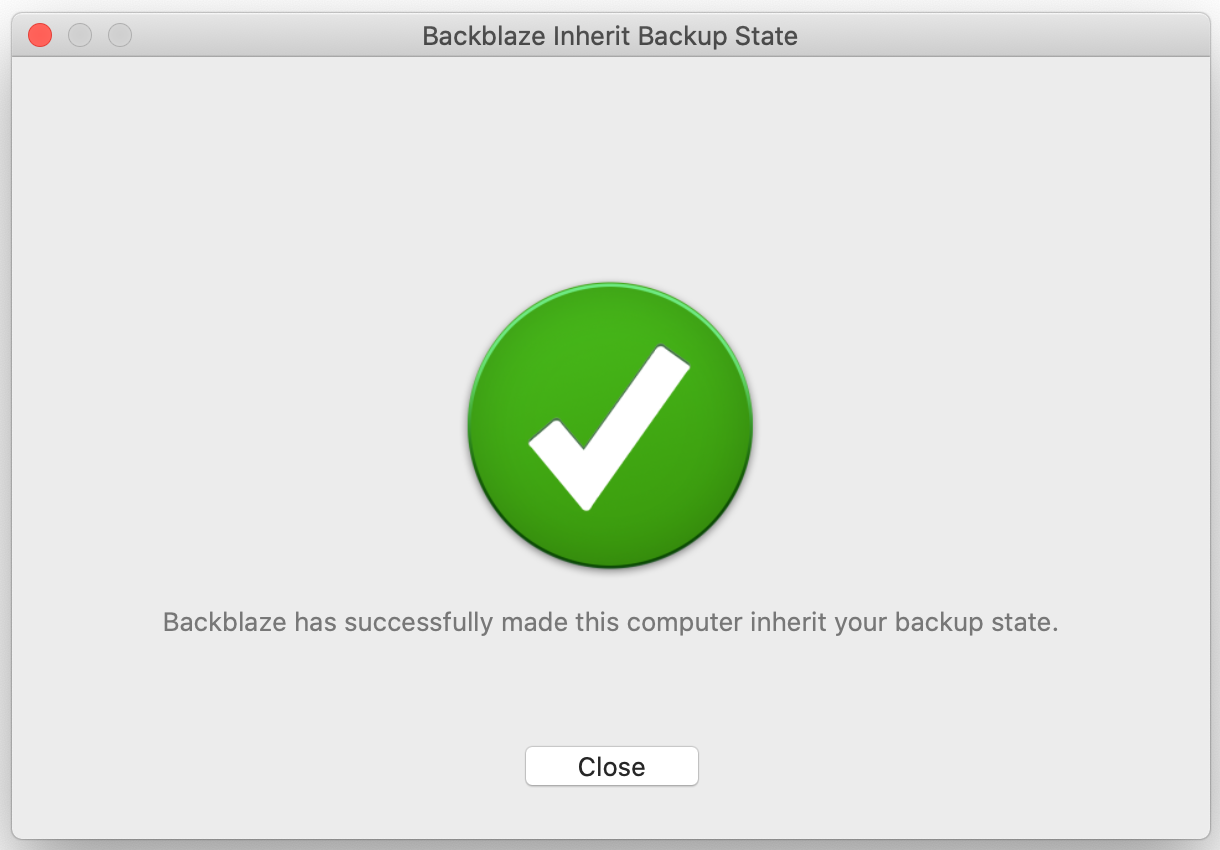
(please note, it is possible that after doing the above steps your software may still say that it is a trial version, if this is the case, simply restart your computer and this will correct itself)
6. On the Overview page of your Backblaze.com account you will now see two backups, a licensed backup, and a backup that will be marked as "old inactive" and will show that is a trial. This will mean that the Inherit Backup State was done successfully.
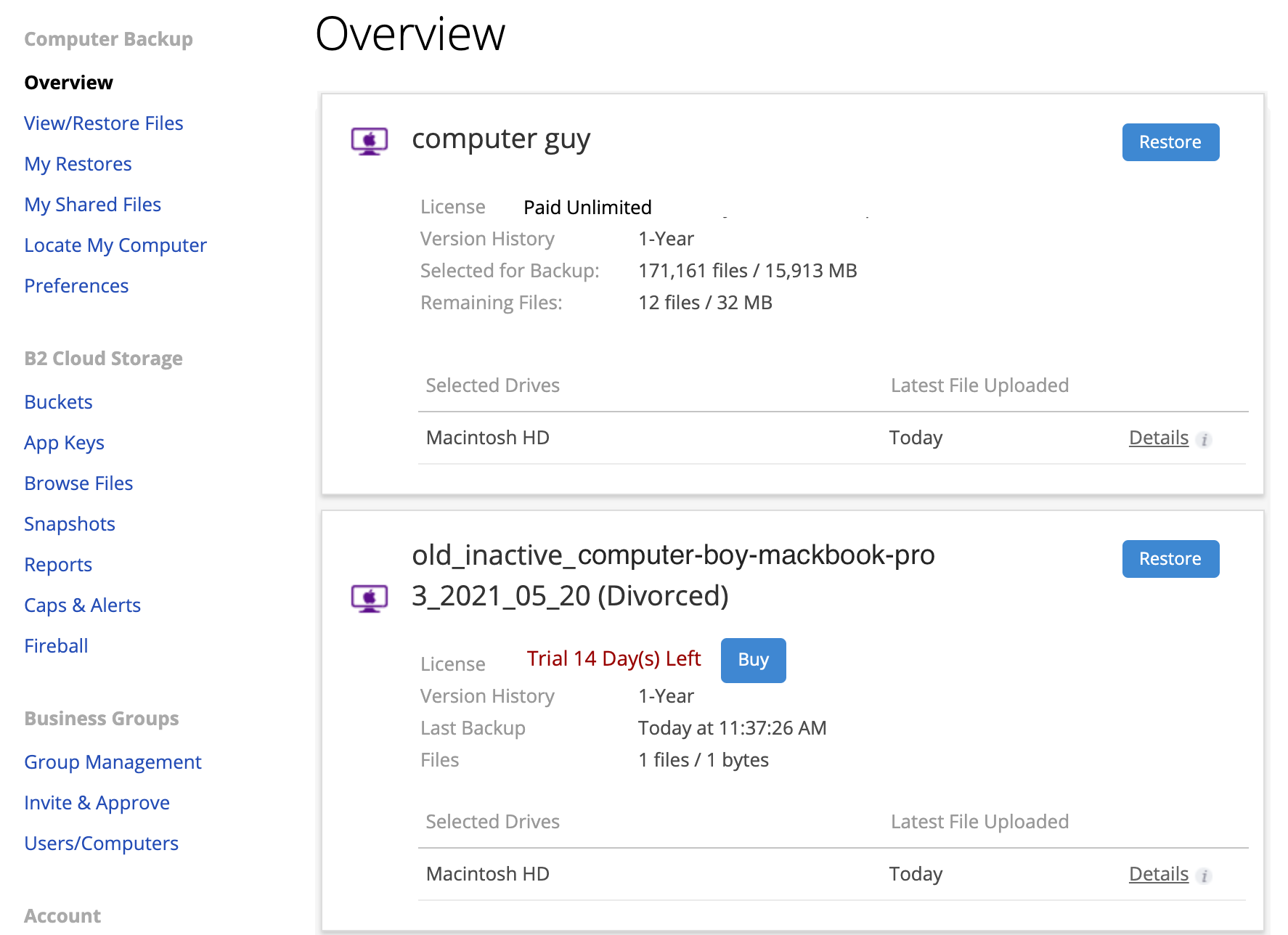
(please note: It is normal for your current paid backup to have the name of the old/original backup, as when you inherited the backup, you inherited its name as well. This is not a signifier of the incorrect machine being backed up. If you wish, the name of your backup can be changed at any time from the Backblaze Preferences /Control Panel. For more on that please see our guide on renaming a backup)
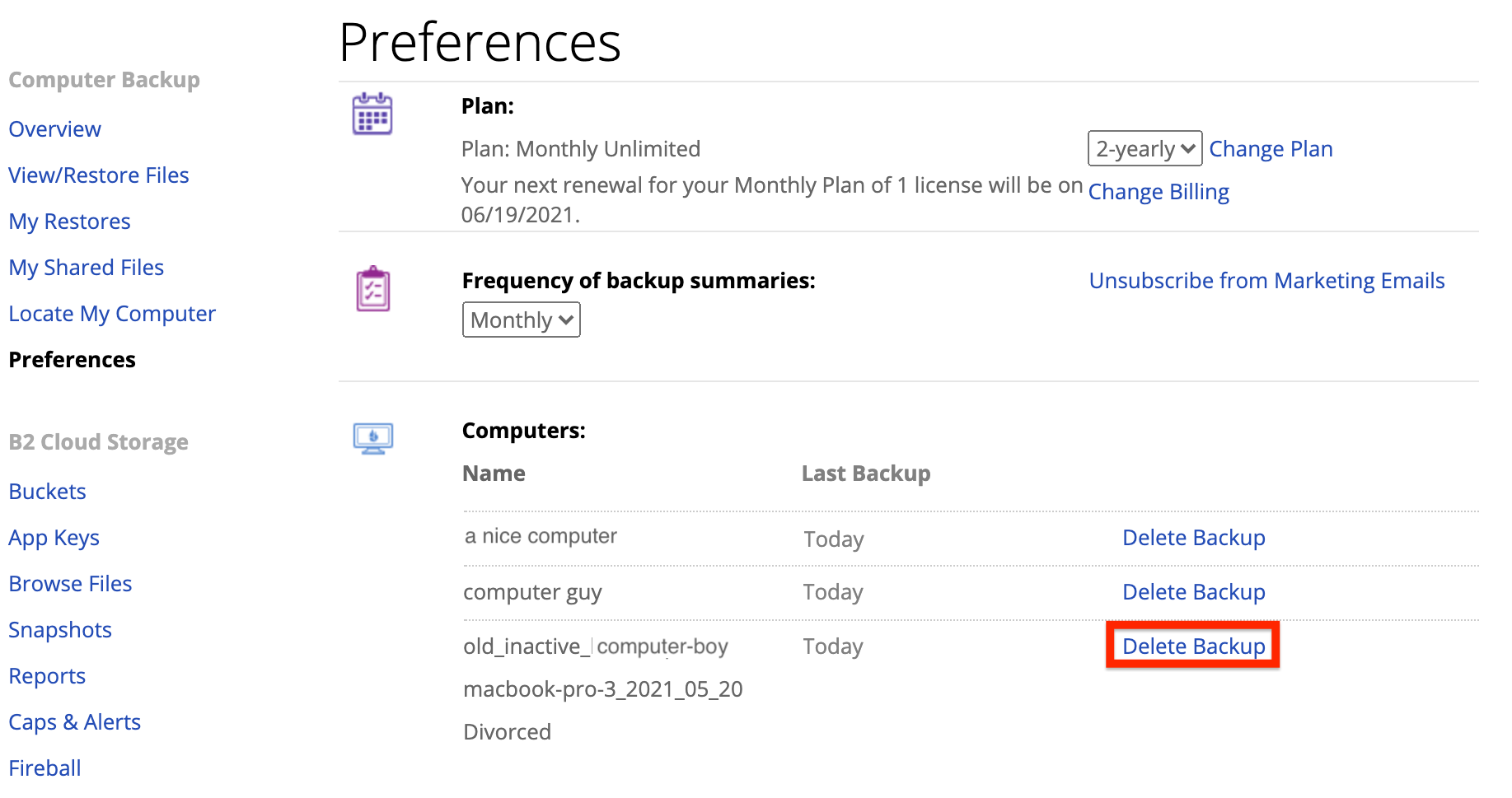
7. The backup marked as old/inactive will automatically remove itself from your account when the trial period is over. However, if you would like you can remove the divorced backup immediately by going to the "Preferences" page of your Backblaze.com account and selecting "delete backup" next to it.