
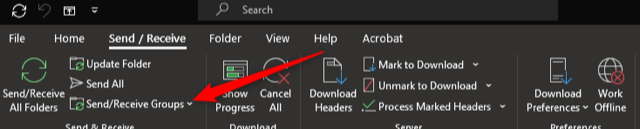
Click Send/Receive on the ribbon
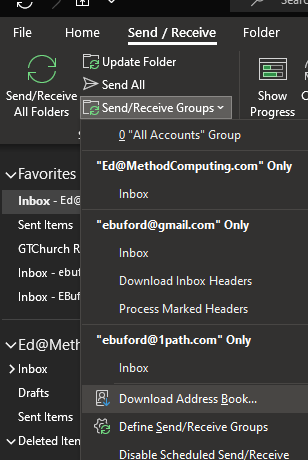
Under the send /receive menu click download address book
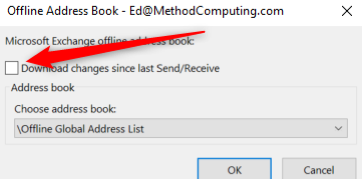
Clear the checkbox to download changes and this should pull a fresh copy of the address book – then press OK
Windows Outlook Address Book Sync Issues Print
Created by: Dale Lichtenwalner
Modified on: Wed, 2 Jun, 2021 at 3:33 PM
Did you find it helpful? Yes No
Send feedbackSorry we couldn't be helpful. Help us improve this article with your feedback.