
Need to be able to view someone else's calendar so you can see there availability to request meetings?
Open outlook and navigate to the calendar. Select your calendar then click open Calendar permissions.

Click add users and type in the name of the person that you would like to share your calendar with and click add.
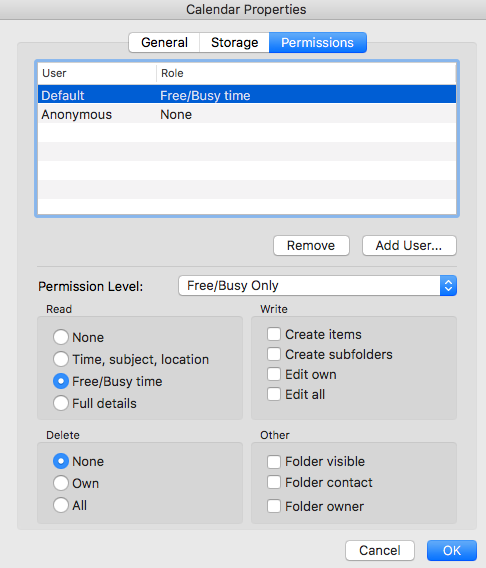
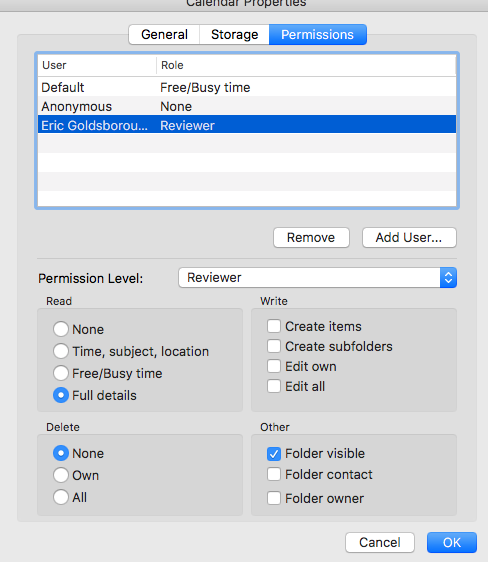
Once you have added them you can select them and then change the permissions that they have.
Such as if you would like them to be able to see all your calendar events but not change anything, have the following options selected.
Now on their machine you can have them add the calendar by clicking on open a shared calendar.

From their you can enter their name and click add.
Congrats you have added someone else to view your calendar.