Need to add a new family or person to Rock?
Here's How!
1. Login into the Rock.
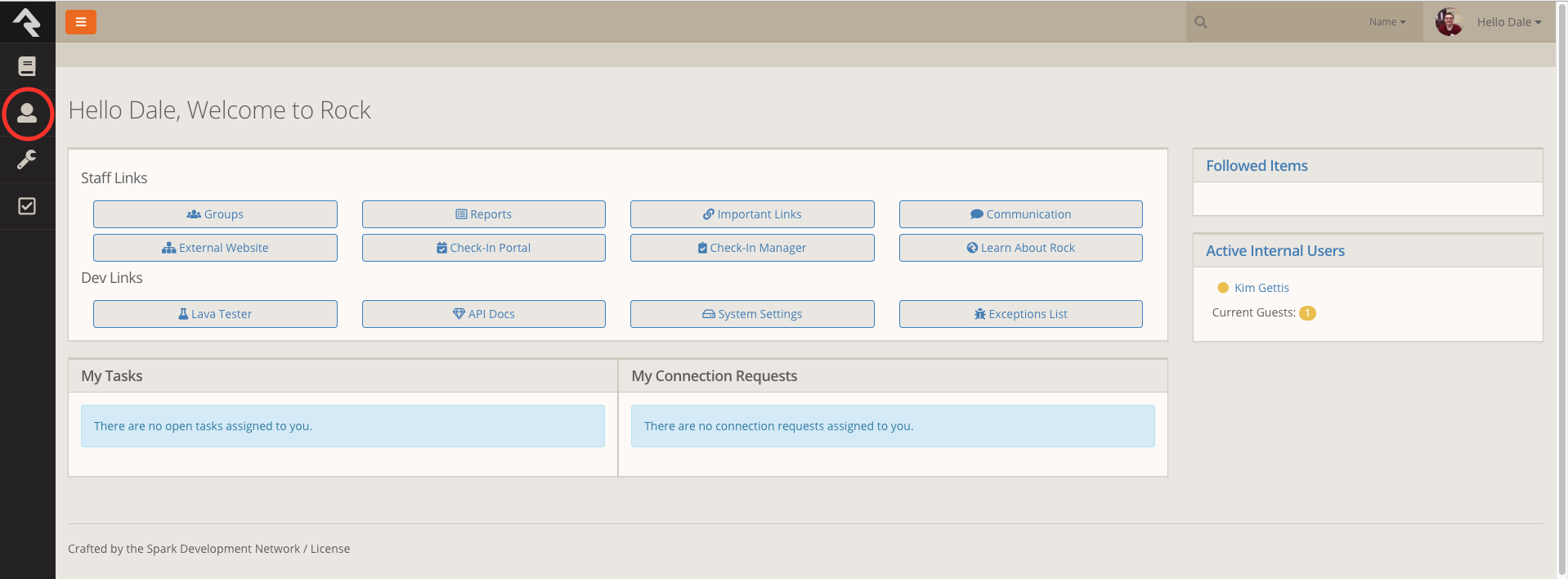
2. Once on the main page, click on the people icon.
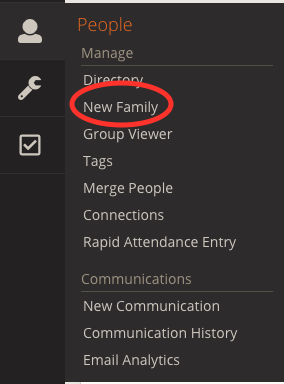
3. Select New Family.
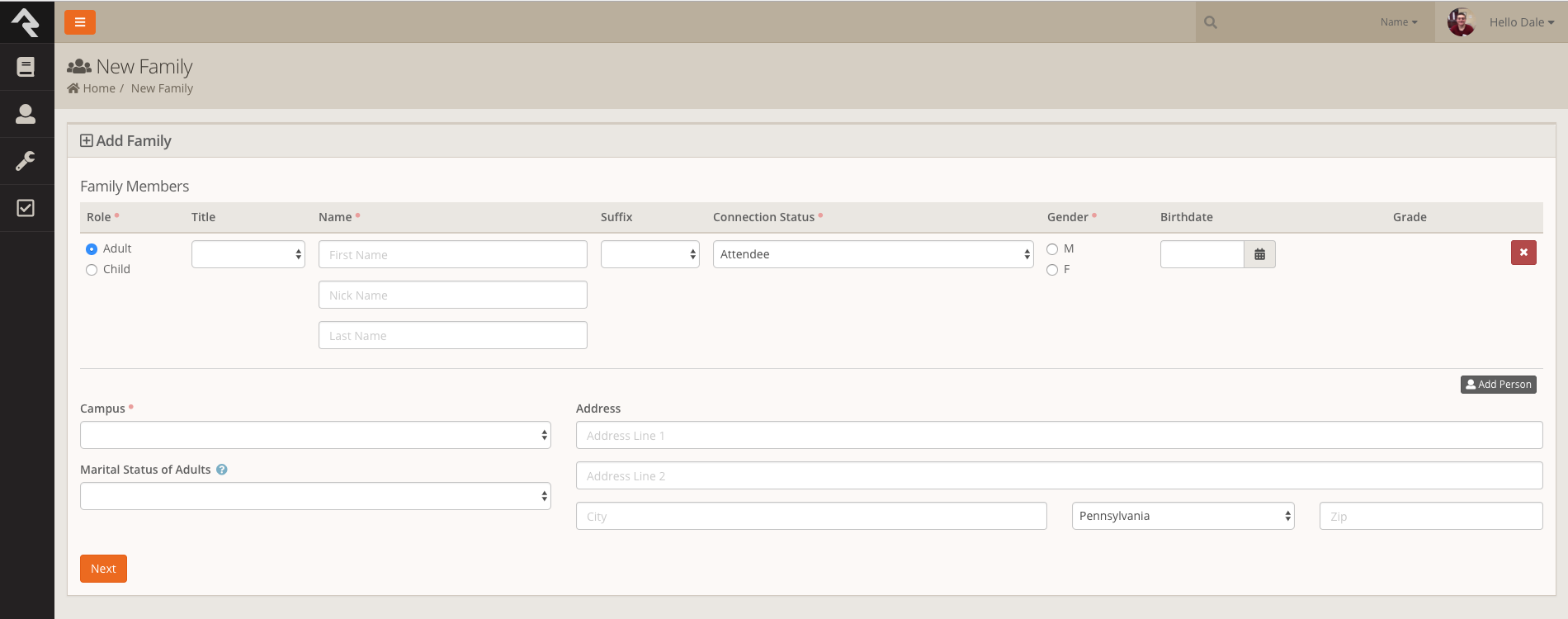
4. Enter the person's data and then click next.
Congrats you have added a new person into Rock.

Modified on: Thu, 17 May, 2018 at 4:39 PM
Need to add a new family or person to Rock?
Here's How!
1. Login into the Rock.
2. Once on the main page, click on the people icon.
3. Select New Family.
4. Enter the person's data and then click next.
Congrats you have added a new person into Rock.
Did you find it helpful? Yes No
Send feedback