
Need to add new people to your existing team drive?
Here's how!
1. Login into Google and navigate to drive.google.com
2. Choose Team Drives
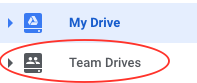
3. Select your team drive you wish to add the person to.
4. Click add members at the top.

5. Type the person's email address in the field and then select the permissions you would like to give them. For example most members need the full right but if you're adding someone you can give them access to view the drive only, meaning they can not edit any documents in that team drive.
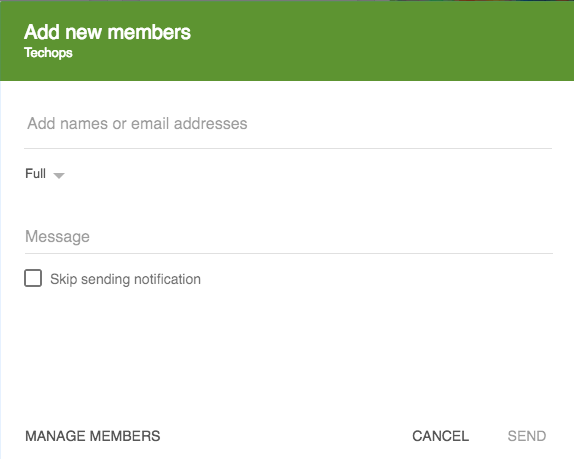
6. Click send.
Congrats you have added another person to your team drive!