
This article is to help you after you have changed your GT password using the https://mobile.gtaog.org site.
For Outlook:
- Open Outlook
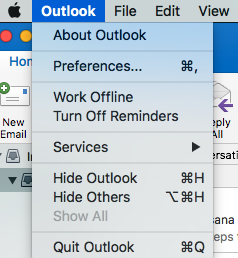
- Click on outlook in the taskbar (Mac) and choose preferences.
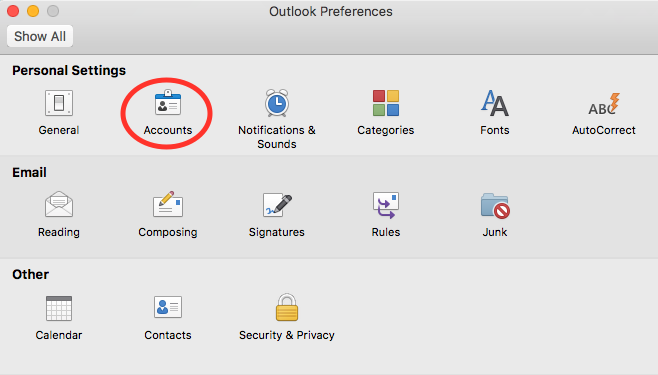
3. A new window will appear, choose accounts.
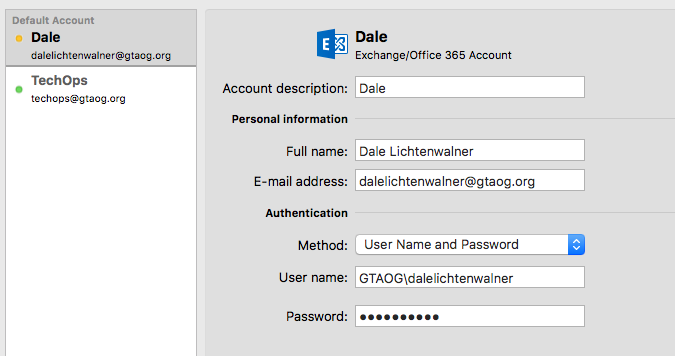
4. Choose your GT account, then under the password field, delete out the characters and enter your new password that you just changed it to and hit enter.
5. Close that window and hit the send and receive button on the bar of outlook.

For The Mac Mail App
- Open the Mail App
- Click on mail in the mac taskbar and select preferences.
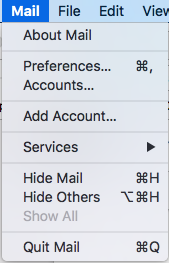
3. A new window will have appeared, choose Accounts.
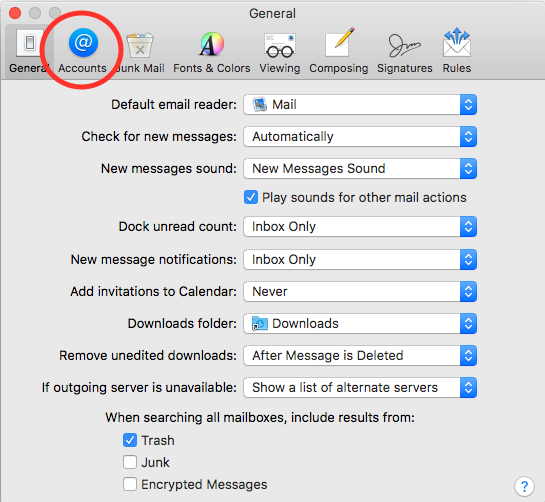
4. Now select your exchange account from the left hand side, choose the server settings option.
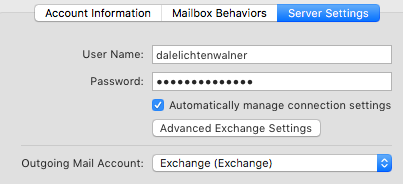
5. Delete out the characters in the password field and enter your new password.
6. Click save below and close that window.
Congrats! You have now fixed your outlook or mail app after changing your GT password!